In general apk file RaspiCam Remote has rating is 8.3 from 10. This is cumulative rating, most best apps on google play store have rating 8 from 10. Total reviews in google play store 370. Total number of five star reviews received 218. This app has been rated like bad by 33 number of users. Estimated number of downloads range between 10,000+ downloads in google play store RaspiCam Remote located in category Photography, with tags and has been developed by Mike Redrobe. You can visit their website
http://www.redrobe.com/mike/raspicam-remote-for-android/ or send
mikeredrobe@googlemail.com to them. RaspiCam Remote can be installed on android devices with 2.3(Gingerbread)+. We provide only original apk files. If any of materials on this site violates your rights,
report us You could also download apk of RaspiCam Remote and run it on android emulators like bluestacks or koplayer. Versions of RaspiCam Remote apk available on our site: 1.17. Last version of RaspiCam Remote is 1.17 was uploaded May 23, 2020
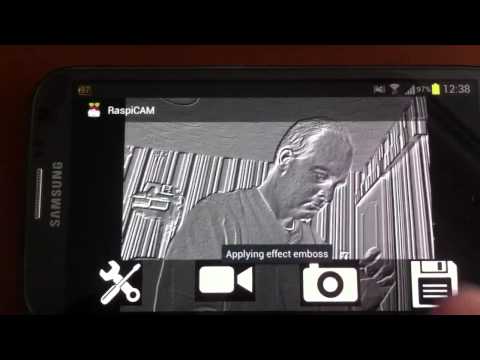
The easiest way to view a Raspberry Pi Camera on your Android Device.
- Easy to use - NO software needs to be installed or configured on the Raspberry Pi for basic use
- Pictures from the Raspberry Pi Camera can be saved to your phone's gallery.
- 30fps h264 video streaming mode for camera monitoring on your Android device
(requires VLC - sudo apt-get install vlc )
- easily configure and test the raspberry pi camera's built in image filters.
- works in landscape or portrait mode, tap to show/hide controls.
- instant live drag / pinch to zoom and rotate - even in video mode
- Now features support for USB cameras (needs fswebcam)
- Can also view any mjpeg IP camera (motion)
NEW multiple view - 2 or 4 cameras simultaneously.
Simply type in the ip address of your Raspberry Pi to connect and view immediately.
You can even view the Raspberry Pi Camera remotely over the internet if you setup port forwarding (port 22)
Twitter: @mikered
1.18 Saves different usernames & passwords, quad view1.17 Support for 3D side-by-side (google cardboard) & mjpeg (motion)1.16: fix connection problems with Raspbian Jessie, and Arch linux1.15: Auto scan for pi on network, accept hostnames1.14: icons replacing text buttons1.13: 30 fps streaming (requires VLC on Pi)1.12: fast switching between USB Cam and Pi Cam1.11: USB Cam now uses fswebcam1:10: quick connect for multiple Pi, shorter timeouts1.09: awb,exposure,metering & frame settings
Advertisement
License
FreeFile name
RaspiCAM RemoteFile Version
1.17Package name
com.pibits.raspberrypiremotecamUploaded
May 23, 2020Category
PhotographyDeveloper
Mike RedrobeDeveloper site
Developer email
mikeredrobe@googlemail.com